Online signature

Finalise your new contract

You will now sign your Eltrona contract to finalise your order and enjoy the selected services.

L'ID de session que vous utilisez est expiré, erroné ou n'existe pas

Veuillez utilisez le lien qui vous a été envoyé par email.

Attention ! L'URL mis à votre disposition dans l'email à un délai d'expiration d'une semaine. Si ce délai est dépassé, veuillez contacter le service commercial d'Eltrona.
Need assistance?

The online signing procedure is very simple and requires 5 steps on your part:

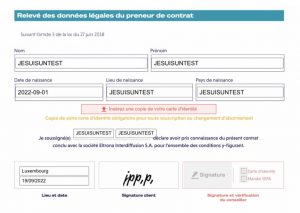
1. Review the document and verify that your personal details are correct and that the selected products accurately match your order.

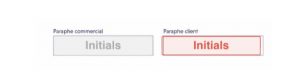
2. Click on each red box labelled “CUSTOMER INITIALS” and enter your initials in the dialogue box that appears, then click on the “accept and sign” button.

3. Click on the red field “add a copy of your identity card” and upload a copy of your identity document in the window that appears.

4. Click on each red “SIGNATURE” box and apply your signature using your mouse (on a PC) or your finger (on a mobile device).

5. Click on the yellow “FINISH” button located at the top right of the box containing your contract.